Subscribe & Save
How to manage your supplement subscription
Sign in to view upcoming renewals, change your address or payment method, renew early, change an eligible delivery schedule, reactivate, or cancel.
Open your account
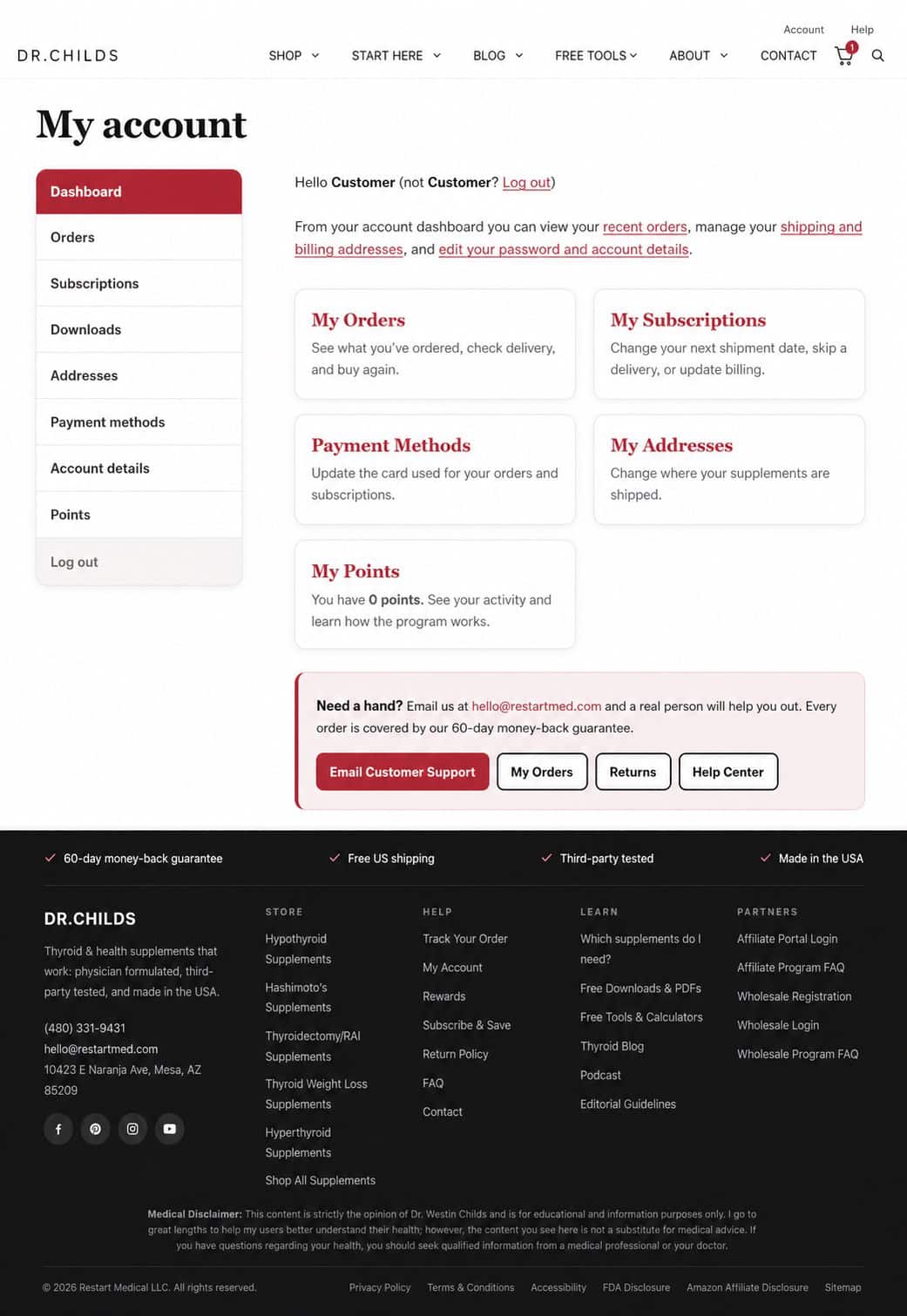
Select Subscriptions
After signing in, select Subscriptions from the account menu. On a phone, first open Account Menu, then select Subscriptions.
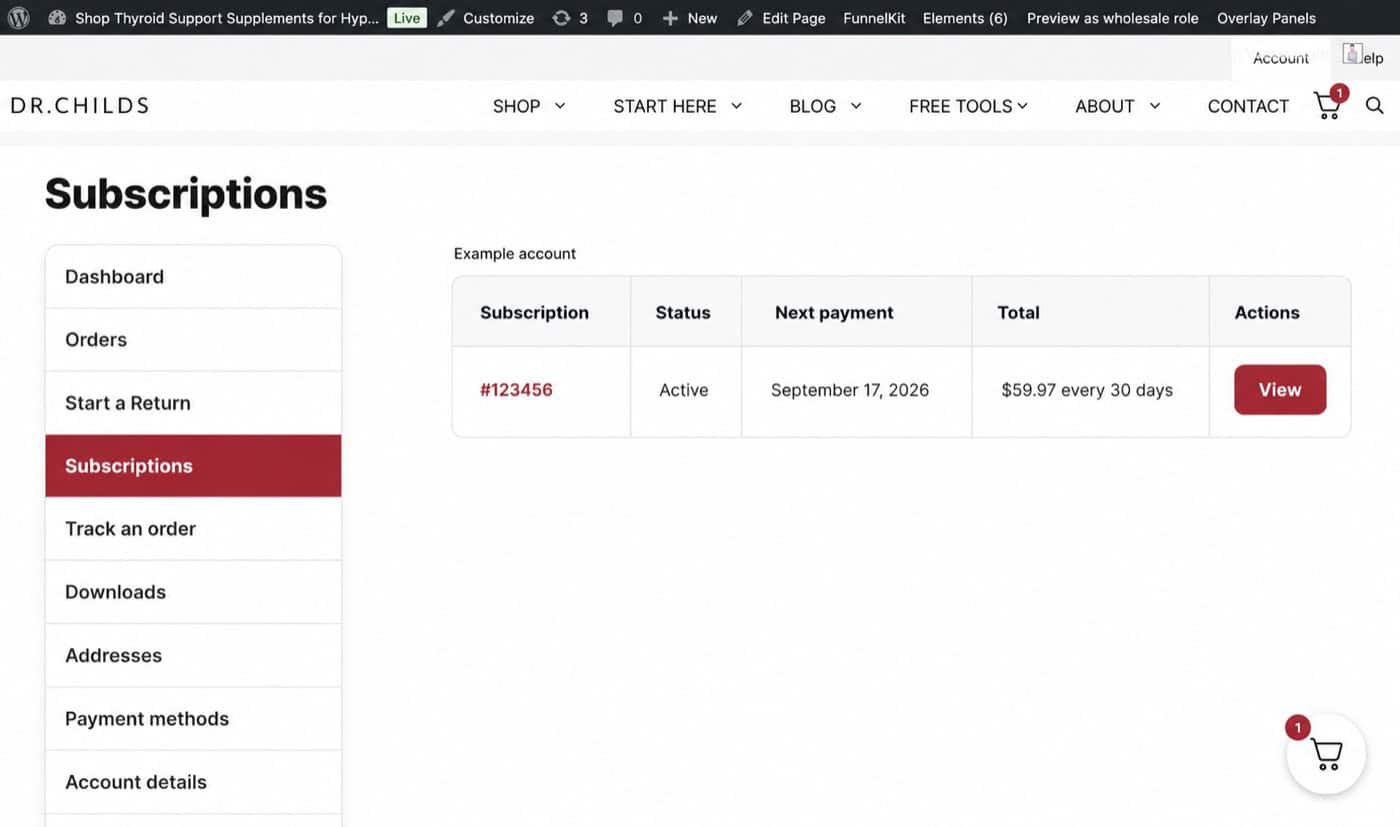
Choose the subscription
Select View next to the subscription you want to change
The available actions appear on that subscription’s detail page. Only options supported by that subscription will be shown.
Available changes
Common subscription tasks
The exact options available appear on the selected subscription’s View page.
Before each renewal
Watch for your reminder email
The current Subscribe & Save program sends a reminder two days before each scheduled shipment. The reminder shows the price and shipping address. Make any needed changes before the renewal is charged.
Subscription basics
Current Subscribe & Save options
These details come from the current Subscribe & Save page.
Common questions
Subscription FAQ
Can I add another product to an existing subscription?
New products cannot currently be added to an existing subscription. Place a separate Subscribe & Save order for the additional product.
Can I change the delivery frequency?
Open the subscription, scroll to Subscription totals, and look for Upgrade or Downgrade. Available frequency options depend on the subscription.
How do I cancel?
Open Subscriptions, select View for the subscription, and choose Cancel. If the option is missing or the renewal already processed, contact Customer Support.
Can I change my payment method?
Open the subscription and select Change payment. If the button is missing, add the card under Payment methods or contact Customer Support.
Customer support
Need help before a renewal?
Email us as soon as possible and include the email address connected to your subscription.
Email Customer Support