Account & Login
How to access your Dr. Westin Childs account
Your account keeps orders, delivery addresses, payment methods, subscriptions, and points in one easy place.
Sign in or register
Open My Account
Sign in with the email address used for your Dr. Westin Childs orders. If you have never created a password, use the Register form on the same page.
Your dashboard
Choose the section that matches your task
On a computer, the account menu appears on the left. On a phone, select Account Menu to open the same choices.
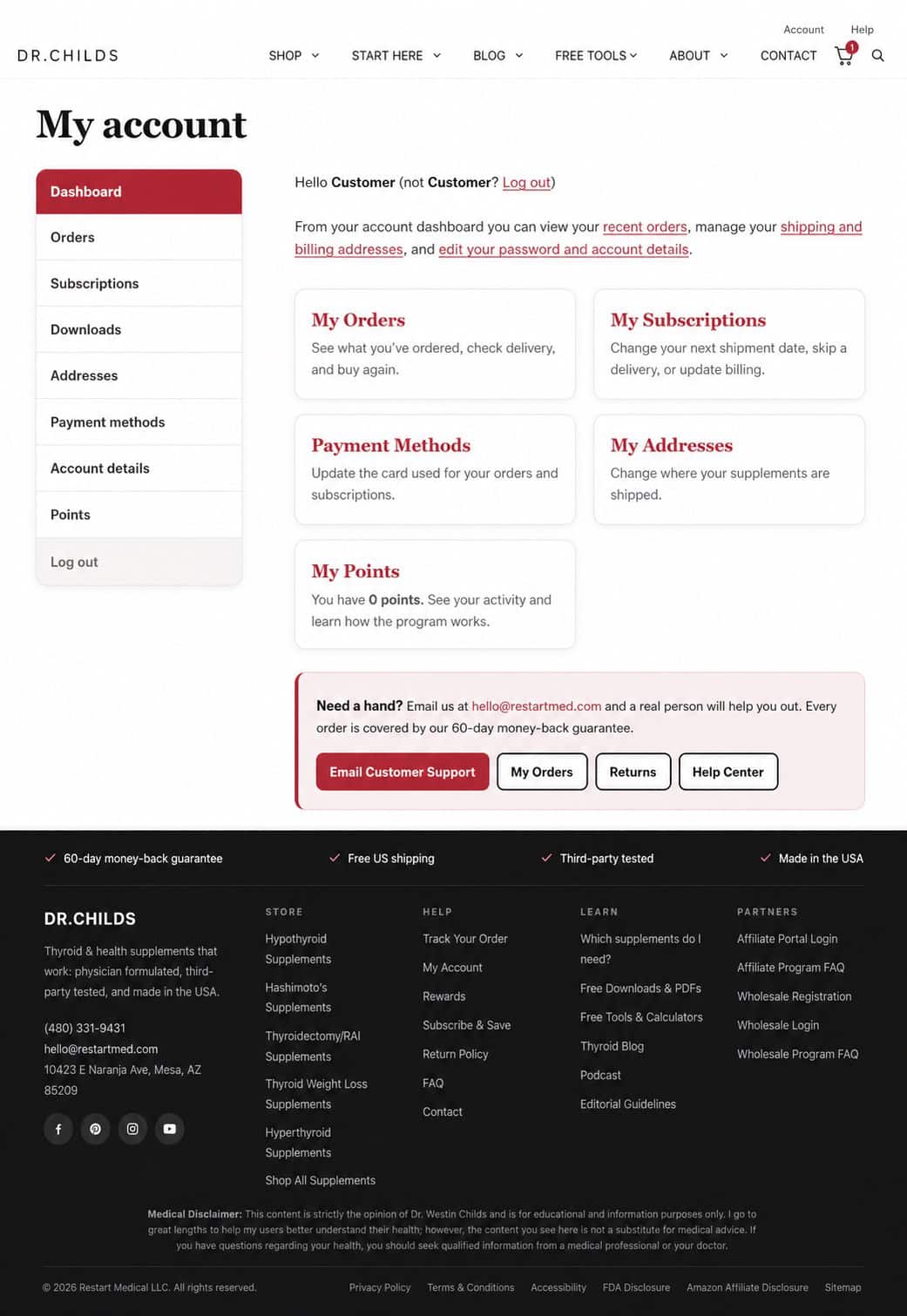
Account shortcuts
Go directly to what you need
You may be asked to sign in before the section opens.
Password help
If your password does not work
Select Reset My Password, enter the email address connected to your account, and use the link sent to your inbox. Check spam and promotions if the message does not arrive within a few minutes.
Common questions
Account FAQ
I placed an order but never created a password. What should I do?
Open My Account and use the Register form with the same email address used at checkout. If the email is already registered, use Reset My Password instead.
Why is an older order missing?
First confirm that you are signed in with the same email address used at checkout. If the order is still missing, contact Customer Support and include the order number or the name used on the order.
Can I change my email address?
Yes. Open Account details after signing in. If you cannot access the original email address, contact Customer Support for help.
Can I use the same account on my phone and computer?
Yes. Sign in with the same email address and password on either device. Your account information stays connected to the account, not the device.
Customer support
Still cannot access your account?
Email us with your name and the email address you may have used. A real person will help you find the right account.
Email Customer Support